Why Meta Shows 0 Conversions on Click-to-WhatsApp Ads (And How to Actually Fix It)
The Zero Conversions Paradox
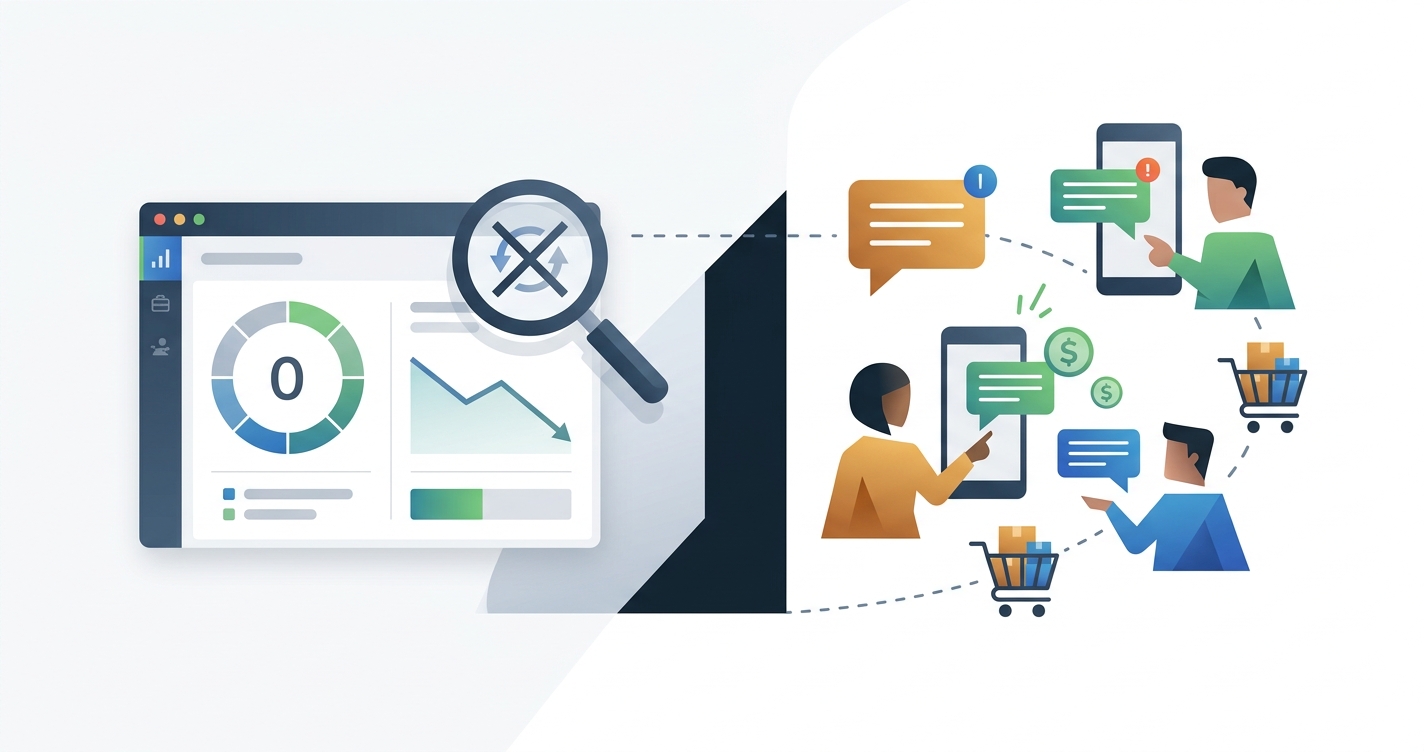
You set up a new Facebook Click-to-WhatsApp campaign. The results seem great: for example, you see 100 new chats in a week, your team is closing sales, and your business WhatsApp is more active than ever. You navigate to Meta Ads Manager, eager to check the results, and see “0 conversions.”
If you’re a marketing agency or small business managing paid ads with WhatsApp as your main customer channel, this scenario is all too familiar. The phone is buzzing, but Meta Ads Manager insists nothing happened. You’re not alone: the “zero conversions” problem with Click-to-WhatsApp ads is a common challenge for marketers.
This post will clarify why Click-to-WhatsApp tracking breaks down, what Ads Manager really shows (and why), and walk you through how to fix it.
How Click-to-WhatsApp Ads Work
Click-to-WhatsApp ads are a type of Meta ad designed to get users chatting with your business on WhatsApp, skipping landing pages or forms. Instead of clicking through to your website, potential customers see a WhatsApp chat open directly with your business number.
A typical customer journey looks like this:
- The user taps your ad on Facebook or Instagram.
- WhatsApp opens automatically, pre-filled with your business’s chat window.
- The user sends a message, and your sales team replies.
- A sale might happen immediately in the chat, or it may require follow-up.
In traditional web-based ads, the Meta Pixel (a snippet of code on your website) tracks actions like purchases or sign-ups and sends those events back to Ads Manager as conversions. Click-to-WhatsApp ads don’t follow this pattern, and that’s the core of the problem.
The Missing Link: Why Your Conversions Disappear
For Click-to-WhatsApp ads, the click directs someone out of Meta’s ecosystem and into WhatsApp—a separate platform that, while owned by Meta, is isolated from your website tracking. Here’s where the attribution falls apart:
- An ad click is recorded, but the Meta Pixel never sees a website visit or purchase. Since users land in WhatsApp and not on your site, the Pixel can’t observe what happens next.
- Meta records “Conversations Started” (how many people opened a chat and sent the first message), but this is considered a messaging metric, not a business conversion.
- Real business outcomes (qualified contacts, bookings, purchases) inside WhatsApp are invisible to Meta unless you actively send those events back to Meta through its business-messaging conversions channel.
- Many businesses don’t capture the crucial click ID (
ctwa_clid) that connects the WhatsApp conversation back to the original ad. Without it, even a perfectly sent conversion event won’t be attributed to your ad spend. - Misconfigured parameters (like the wrong
action_source) or an unsupported WhatsApp provider can cause even attempted tracking to be ignored by Meta.
The result is that Ads Manager shows 0 in the conversions column, even when you have sales happening daily on WhatsApp.
A simplified flow looks like this:
User clicks ad → WhatsApp chat starts
  ↳ WhatsApp message sent
    ↳ Business closes a sale
Meta Ads Manager
  ↳ Sees: "Conversation Started"
  ↳ Does NOT see: Purchase or other conversions (unless you send them back)
This attribution blind spot leads to misleading ROAS numbers and frustrates business owners who know their ads are working, even when the reports say otherwise.
Messaging Metrics vs. Conversion Metrics in Ads Manager
In Meta Ads Manager, the columns for your Click-to-WhatsApp campaigns can be misleading if you don’t know what they track.
-
Messaging Metrics:
- Messaging Conversations Started: Counts the first WhatsApp message a user sends after clicking your ad.
- Messaging Replies: Measures how quickly or frequently your business responds.
- These metrics relate to engagement, not business outcomes.
-
Conversion Metrics:
- Leads, Purchases, Bookings: These reflect sales outcomes or valuable actions, typically logged via the Meta Pixel or server-side conversion events.
- For Click-to-WhatsApp ads, these columns will remain blank unless you set up event sending back to Meta.
If your Ads Manager shows only messaging stats like chat starts but zeros in the “Purchase” columns, you are seeing the default setup, which doesn’t capture business outcomes.
Tip: Customize your Ads Manager columns to include both messaging and conversion metrics. This allows you to see the gap clearly and monitor improvements as you implement proper tracking.
The Checklist for Debugging Zero Conversions
You don’t need to be a developer to solve this, but you do need a systematic approach to pinpoint and bridge the attribution gap.
-
Are you capturing the
ctwa_clid? Every Click-to-WhatsApp ad click generates this unique ID, found in the WhatsApp referral object when the conversation starts. Your WhatsApp provider or internal system must capture and store this ID with the conversation. -
Can your provider send conversion events back to Meta? Only some WhatsApp providers support Meta’s Conversions API for Business Messaging (ask them by that exact name) with the necessary parameters for click attribution. If your provider can’t send events with the
ctwa_clidand the correct action source, your reporting will remain blind. -
Are you mapping business actions to standard Meta events? Define what counts as a “Qualified” contact or “Purchase” in your WhatsApp workflow. Your system should then trigger the corresponding event when that action occurs.
-
Is
action_sourceset tobusiness_messaging? Meta requires this parameter for any conversion events originating from chats, not websites, to correctly attribute them to your ads. -
Are you using the right campaign objectives? The “Engagement” objective with WhatsApp as the destination is often best. “Sales” with “Messaging apps” as the conversion location is also a strong choice when you want to optimize for outcomes. Avoid “Traffic” campaigns, as they optimize for clicks, not high-quality conversations.
-
What if your provider can’t send conversion events for messaging? If your provider can’t capture click IDs or send conversion events with the proper parameters, consider switching providers or adding a third-party solution that can. Manually matching contacts to ads in spreadsheets is a temporary option but is not scalable.
Optimizing Your Funnel for Measurable Results
Once your tracking is working, you can focus on driving true business growth, not just more WhatsApp messages.
-
Focus on outcomes, not just chat volume. Tag WhatsApp conversations by their stage in your sales process: New Lead, Qualified, Purchase. Send only meaningful events like purchases back to Meta, not every single reply.
-
Map WhatsApp actions to standard Meta conversion events.
- New Lead: Trigger this when a conversation begins.
- Purchase: Mark this when a sale is finalized, even if payment happened offline.
- Use a system that lets your team update a contact’s status, which then fires these events automatically.
-
Optimize your post-click experience.
- Respond quickly. Early replies keep potential customers engaged; slow ones lose them.
- Use automations or templates for initial qualification, but always follow up with a personal touch.
-
Benchmark your WhatsApp key performance indicators (KPIs).
- Conversation Start Rate (clicks to first message)
- First Response Time
- Conversation Abandonment Rate
- Cost per Conversation
By connecting WhatsApp actions to conversion tracking, you can finally see which ad spend actually delivers revenue—not just chats.
How HeyMotek Addresses This
HeyMotek bridges the gap between ad clicks, WhatsApp conversations, and real business results. For businesses running Facebook Click-to-WhatsApp ads, it attributes every incoming WhatsApp contact directly to the ad and campaign that brought them in, without you needing to write any code.
When a new WhatsApp conversation begins, HeyMotek automatically matches it to the original ad click and displays it in a dashboard with the source campaign visible at a glance. If that conversation becomes a sale, HeyMotek sends the purchase event back to Meta Ads and Google Ads, ensuring your conversions finally show up accurately in your ad platforms. This trains their algorithms to optimize for customers who buy, not just those who click.
The cross-platform capability is key: a single WhatsApp customer can send conversion signals to Google Ads, Meta Ads, and Google Analytics. This means every sale helps train all your ad platforms without manual work in spreadsheets. Agencies and business owners get a simple, transparent view of which campaigns deliver real WhatsApp customers and which ones drive only low-intent clicks.
Ready to stop flying blind and start measuring actual WhatsApp conversions in your Meta Ads reports? Start for free. With clear attribution, your ad budget works harder, and you get credit for every sale your Click-to-WhatsApp ads deliver.
See which ads bring your real WhatsApp customers.
Free plan. No credit card required 👏
Start for freeRelated integrations